
contexts
In practice, we hope that Logstash can handle a variety of different data sources, and each of them do not conflict with each other, at the same time, add, delete, check and change the configuration of Logstash without affecting the running Logstash instances, to achieve the configuration of dynamic reloading.
Logstash Single Pipe Configuration
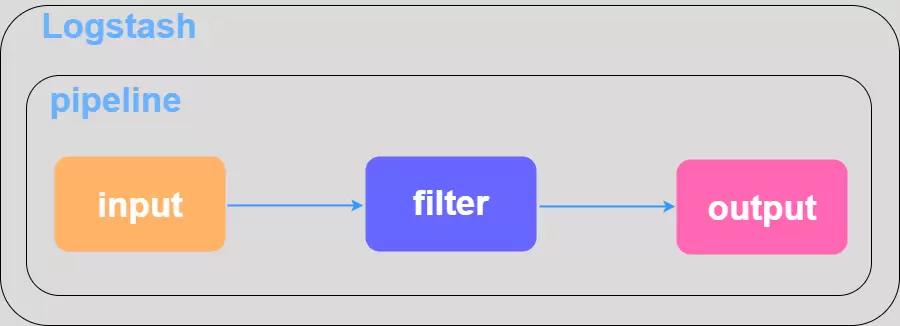 Single Pipeline uses a single configuration file and has a relatively simple startup method, the following startup commands are available:
./bin/logstash -f ./config/logstash.conf -t # This is to test if the configuration file syntax is OK./bin/logstash -f ./config/logstash.conf # Removing the -t parameter starts the logstash single-node service.Logstash Multi-Pipe Configuration
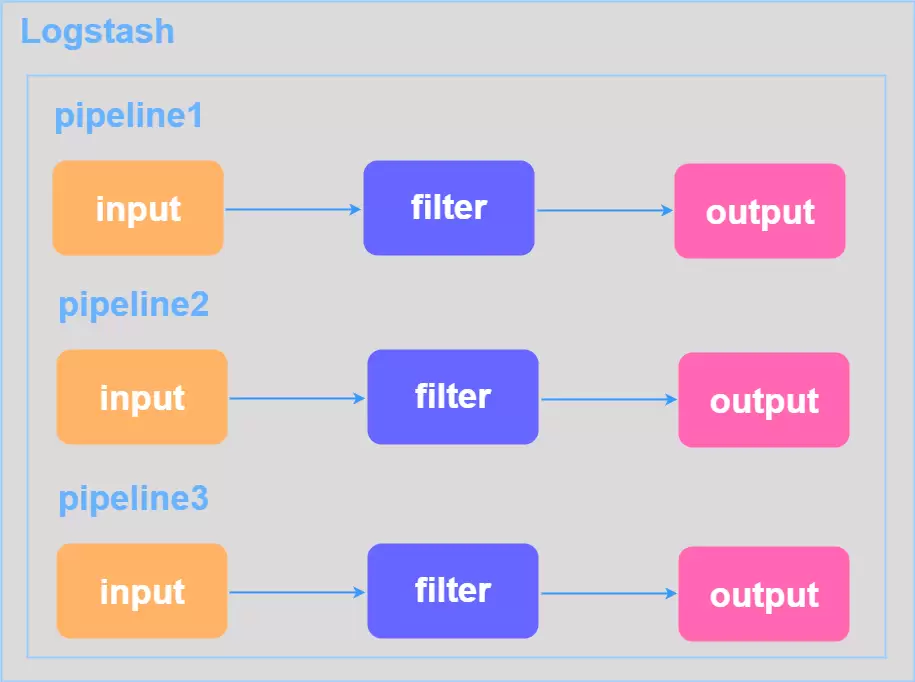
Sometimes we have N configuration files that need to be processed by logstash, but there is only one port instance. Can’t we just use docker to open N logstash services and enable different ports to point to different files?This approach is also too cumbersome, we want to logstash configuration file to control the different pipelines.This is shown in the figure below:
⚠️ 注意 这个地方遇到坑有两个 1、`./config/logstash.yml you need to define the path.config path and then start the logstash service without the argument 2、 On the basis of 1, use ./bin/logstash -f ./config/logstash.yml
Especially in the article written on the start logstash 6.0 after do not take parameters, some harm, I do not know blindly copy the article themselves have not gone to practice!
The core of using multiple pipelines is still defining pipelines.yml files, for example:
- pipeline.id: my_test_log1 path.config: "/data/logstash/config/my_test_log1.conf"- pipeline.id: my_test_log2 path.config: "/data/logstash/config/my_test_log2.conf"- pipeline.id: my_test_log3 path.config: "/data/logstash/config/my_test_log3.conf"If you start logstash as I warned two items above, the service shows the following warning:
[WARN ][logstash.config.source.multilocal] Ignoring the 'pipelines.yml' file because modules or command line options are specifiedlogstash directly ignores the pipelines.yml file, then the configuration defined in it loses its proper role. The problem I encountered was that the logstash service was started, but only the my_test_log1.conf configuration could be filtered and processed properly, while the other two configuration files failed to be filtered, even if the data source was read to be the correct path, it did not work.Even if the data source is read from the correct path, it doesn’t work. All the correct startup commands are as follows:
./bin/logstash --path.settings /data/logstash/config/Of course, there are a variety of other configurations for running multiple pipelines, including modular configurations, which can be found in the official documentation How to Create a Logstash Pipeline for Easy Maintenance and Reuse.
⚠️ 注意 The pipelines.yml file must be in the same directory as my_test_log1.conf, my_test_log2.conf, and my_test_log3.conf, or the startup will fail. After successful startup, the following message will be printed
[INFO ][logstash.agent ] Pipelines runningLogstash Configuration Overload
When logstash is filtering data, the last thing you want to do when adding or changing configuration is to restart the service to avoid the risk of data loss. (1) Create and configure the my_test_log4.conf file (2) Add my_test_log4.conf file to pipelines.yml
- pipeline.id: my_test_log4 path.config: "/data/logstash/config/my_test_log4.conf"(3) View logstahs process number
ps -aux | grep logstash(4) Send HUP signal to logstash to reload configuration
kill -HUP $(logstash_pid)Actually, there are other ways to load dynamically, such as adding the —config.reload.automatic parameter when starting the service from the command line, and another way is to reload via the logstash API service with the default port number 9600, and executing curl -X POST “localhost:9600/_pipeline/pipeline1/reload” on the command line, but I haven’t tried these last two!